Upgrades

Stay up to date with the latest updates, new features, and improvements for ChateCommerce.

Teams at ChateCommerce
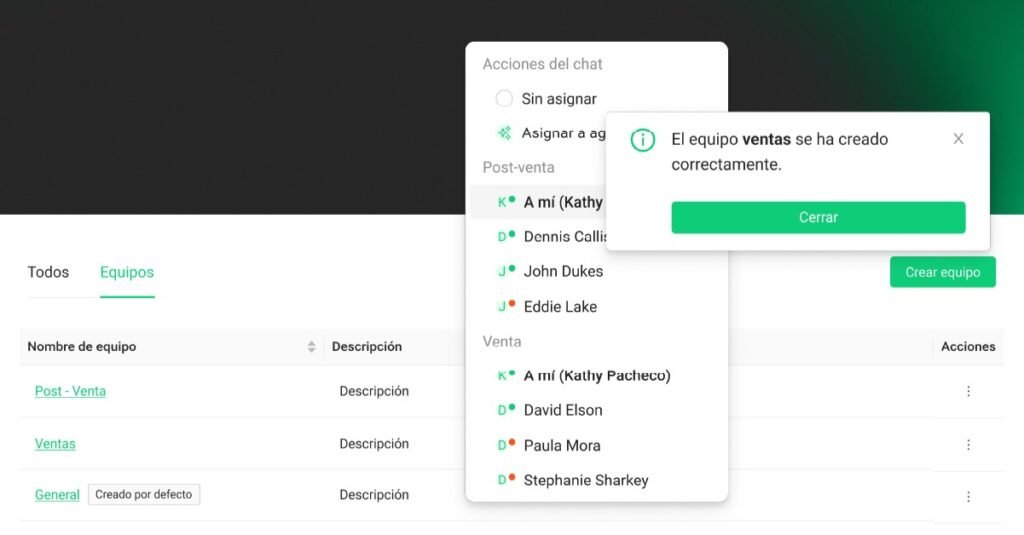
Teams are now available: organize your agents into specialized groups and let AI automatically route each chat to the right team based on their area of expertise.

What changed

  • Teams: Group agents by function (Sales, Support, Returns, etc.) with descriptions that guide AI on when to route each chat
  • Default General Team: Every workspace has a General team that acts as a safety net when AI cannot determine the right team
  • Automatic routing: Your AI Agent reads the customer’s query + your team descriptions and decides which team it belongs to
  • Team filters: In Chats, filter by team to see only the conversations assigned to you

Who it’s for

  • Teams with multiple agents who want to organize their inbox
  • Businesses that need automatic routing by specialty (technical, sales, support)
  • Anyone looking to improve conversational quality

Requirements

✅ At least 2 agents in your account

✅ Active and trained AI Agent (for automatic routing)

✅ Administrator access

Important note

If you don’t use teams, everything works exactly as it does today. Your team
READ FULL ARTICLE

100% Customized Automations

Equipos en ChateCommerce - Panel de gestión de equipos con lista de equipos y General

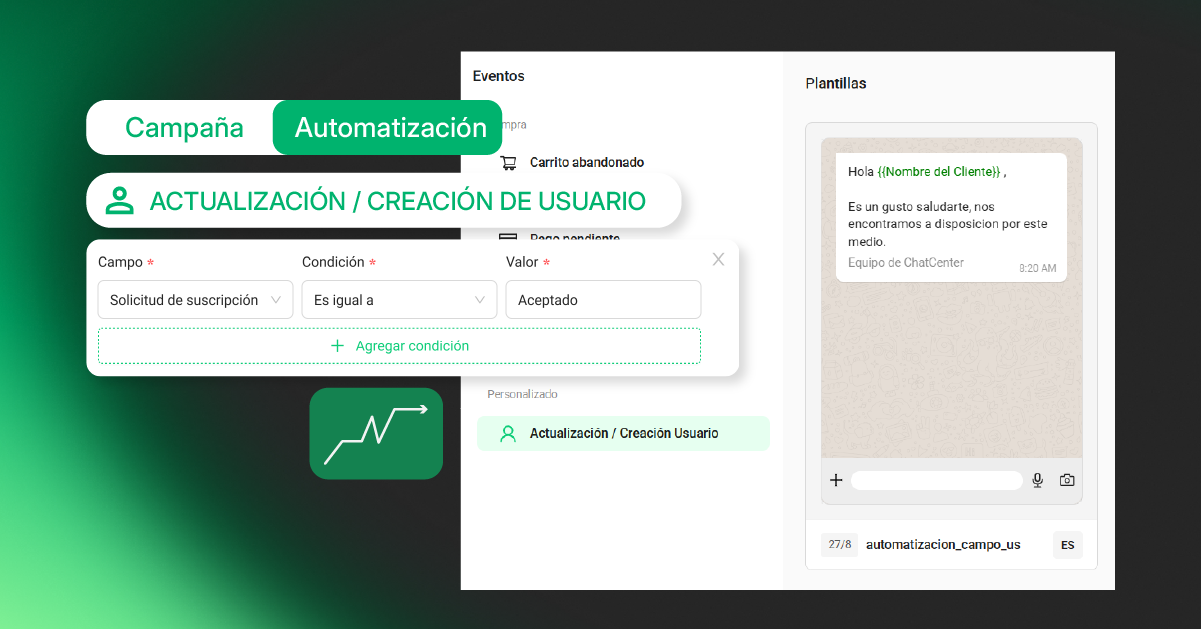
You can now expand your contact information with custom fields (subscription plan, sales stage, expiration dates, etc.) and trigger automations by combining up to 3 conditions. Create complex sales workflows based on any contact data.

What changed

  • Custom fields: Define text, number, date, yes/no, URL, or dropdown fields for each contact
  • Data-based automations: Trigger automated messages based on any custom field by combining up to 3 conditions
  • Centralized management: Edit fields from the contact profile or directly from the conversation
  • API integration: Sync custom fields with external systems (CRMs, spreadsheets, etc.)

Use cases

Personalized onboarding based on sales stage, subscription expiration reminders, automations based on subscribed plans, and retention workflows based on key customer data.

Requirements

  • Create custom fields according to your business needs
  • Add data to contact profiles
  • Configure automations that use those fields
READ FULL ARTICLE

Autonomous Store now in the ShopAgent widget.

We’re launching Autonomous Store in the Widget

You can now sell directly from your website without relying exclusively on WhatsApp.

What changed

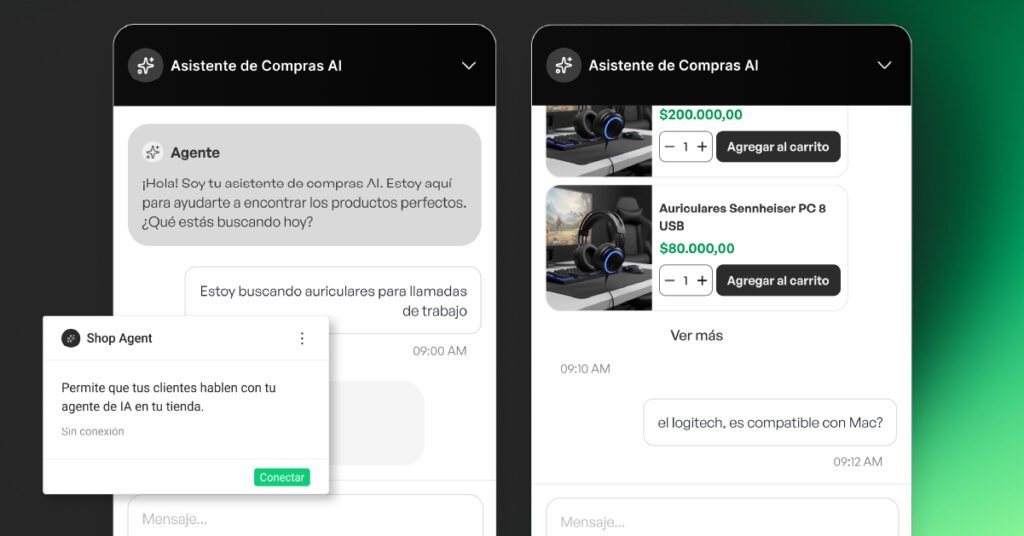
  • Customers can view products in the widget with an up-to-date price, quantity selector, and “Add to cart” button.
  • Everything happens without leaving your website, with no redirects to an embedded website.
  • It works as an independent sales channel or alongside WhatsApp.

Requirements

  • ShopAgent Widget installed.
  • Connected store (Shopify, Tiendanube, VTEX, etc.).
  • Synchronized catalog.
  • AI Agent created.
  • Activation request submitted to the team (contact us here).

Important details

  • It is activated as an omnichannel solution (widget + WhatsApp simultaneously).
  • If a customer manually adds products and then uses the AI Agent, the Agent’s cart will overwrite the manually created cart.

Install, configure, and activate Autonomous Store in your widget.

READ FULL ARTICLE
```html ```