

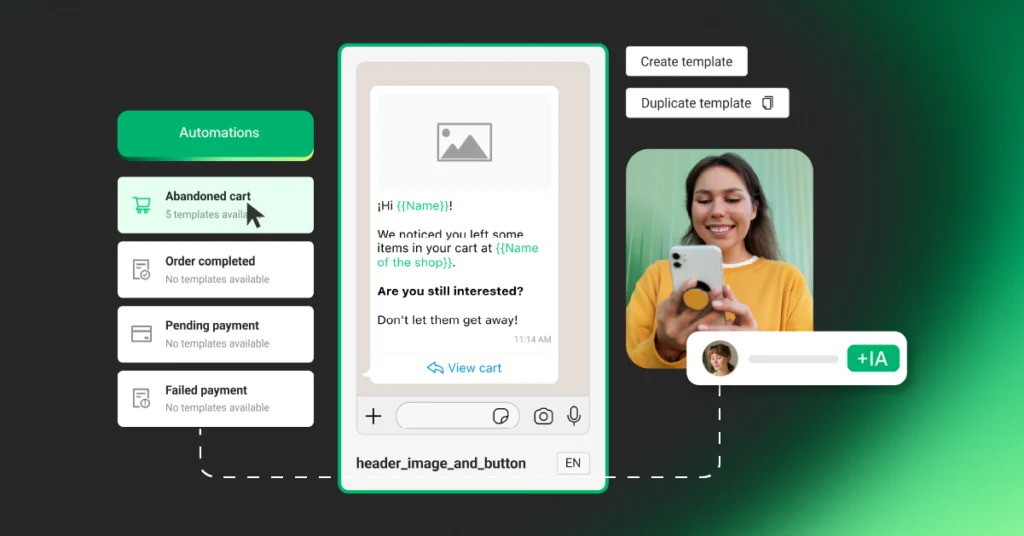
What are automations?
Automations are messages sent automatically via WhatsApp when something specific happens in your store: a pending payment, a completed purchase, a rejected payment, or an abandoned cart.
You don’t need to do anything manually. Set up the automation once and the platform handles sending the message at the exact moment your customer needs it.
Stores with active automations recover more sales, retain more customers, and generate more conversations.
What do you need to use them?
Before activating any automation, you need to have:
✓ Your online store connected to ChateCommerce (Tiendanube, Shopify, VTEX, Magento, or WooCommerce)
✓ Your WhatsApp Business account connected to the platform
If you already have both, you’re ready to start.
Available automations in ChateCommerce
Abandoned cart Triggered when a customer adds products to the cart but doesn’t complete the purchase. ChateCommerce sends a WhatsApp message reminding them of the items left behind and making it easy to return to the store.
This is the automation with the highest impact on sales recovery. Stores that have it active recover up to 61% of their abandoned carts.
Pending payment Triggered when a customer chooses an offline payment method (bank transfer, cash payment) and the order remains uncompleted. The platform sends a WhatsApp reminder 24 hours after the order is created so the customer can complete the payment.
→ See how to activate the pending payment automation
Rejected payment Triggered when a payment attempt is rejected by the system. ChateCommerce sends an automatic message with a direct link to the purchase so the customer can retry with another payment method.
Between 15% and 40% of purchases fail due to rejections, many of them from avoidable errors. This automation recovers those sales immediately.
Have questions about how to set it up? Reach out via WhatsApp chat and we’ll help you.
Completed order Triggered when a purchase is successfully confirmed. The customer receives a WhatsApp notification confirming their order, building trust and improving the post-purchase experience.
Have questions about how to set it up? Reach out via WhatsApp chat and we’ll help you.
Rate your purchase Triggered after an order is completed. The platform sends the customer a message inviting them to rate their shopping experience, allowing you to collect feedback and improve your store.
How to create an automation step by step
Step 1 Go to Automations In your account’s side menu, go to Marketing → Automations.
Step 2 Choose the event Select the event you want to automate: abandoned cart, pending payment, rejected payment, completed order, or rate your purchase.
Step 3 Choose a template Each event has pre-designed templates available. You can choose one with simple text, a header image, a button, or an external link. If you need something specific, you can also create your own template.
Step 4 Configure the send Give your automation a name and configure the send rules: how long after the event the message is sent (for example, 10 hours after cart abandonment). You can see a live preview of the message in real time.
Step 5 Save and activate Click Save and activate. From that moment on, the automation runs on its own.
Frequently Asked Questions
How many credits does each automation use?
Each message sent consumes credits according to your subscription plan. You can view detailed usage and credit consumption in the Analytics section of your account.
Can I customize the message?
Yes. You can edit the content of each template and include dynamic variables such as the customer’s name, the store name, or the order details, among others.
Can I have multiple automations active at the same time?
Yes. You can enable all available automations simultaneously. Each automation runs independently and is triggered by its corresponding event.
Can I deactivate them at any time?
Yes. You can activate or deactivate any automation whenever you need from the Automations section of the platform.
Do they work with all ecommerce platforms?
The automations are compatible with Tiendanube, Shopify, VTEX, Magento, and WooCommerce.
Ready to activate your automations?
Set up your automations from your dashboard and start recovering orders, confirming purchases, and reactivating carts today.
Have questions about how to set them up? Reach out via WhatsApp chat and we’ll help you get everything ready.